



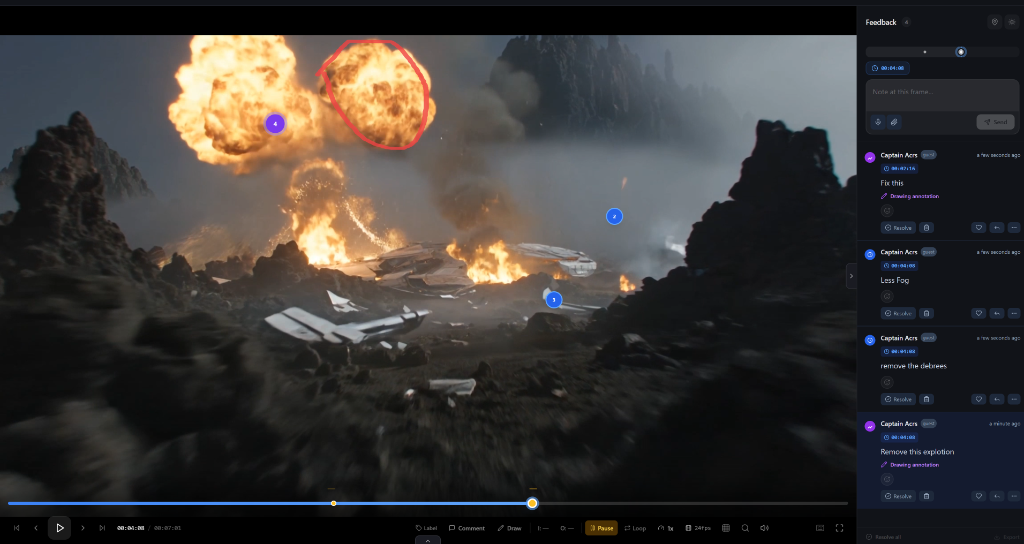
Comments become markers
Pin-accurate feedback flows into your editor as actionable timeline markers.
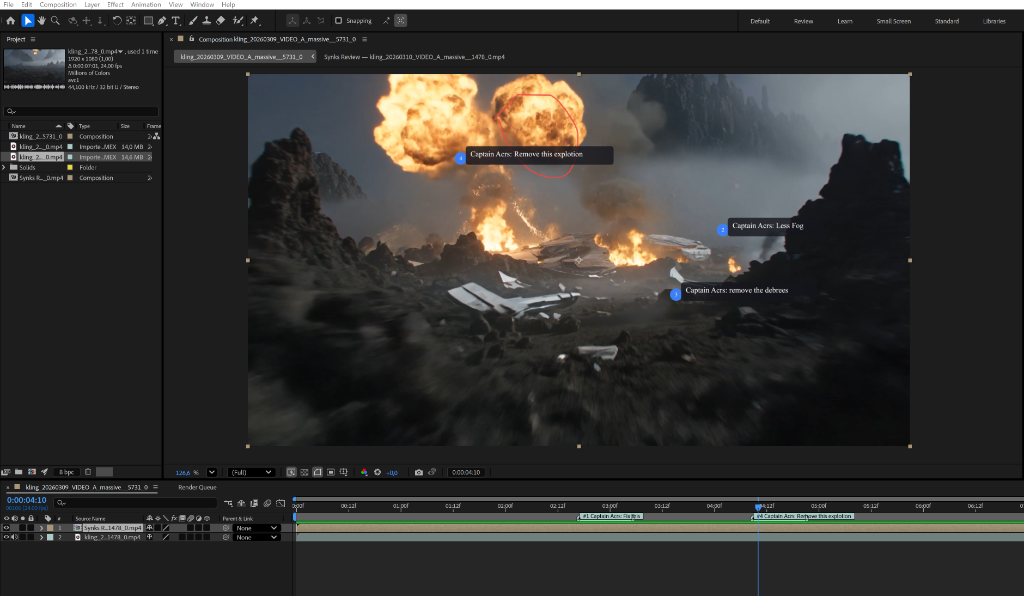
Inside your editor
Manage projects, sync feedback, and resolve — without switching apps.
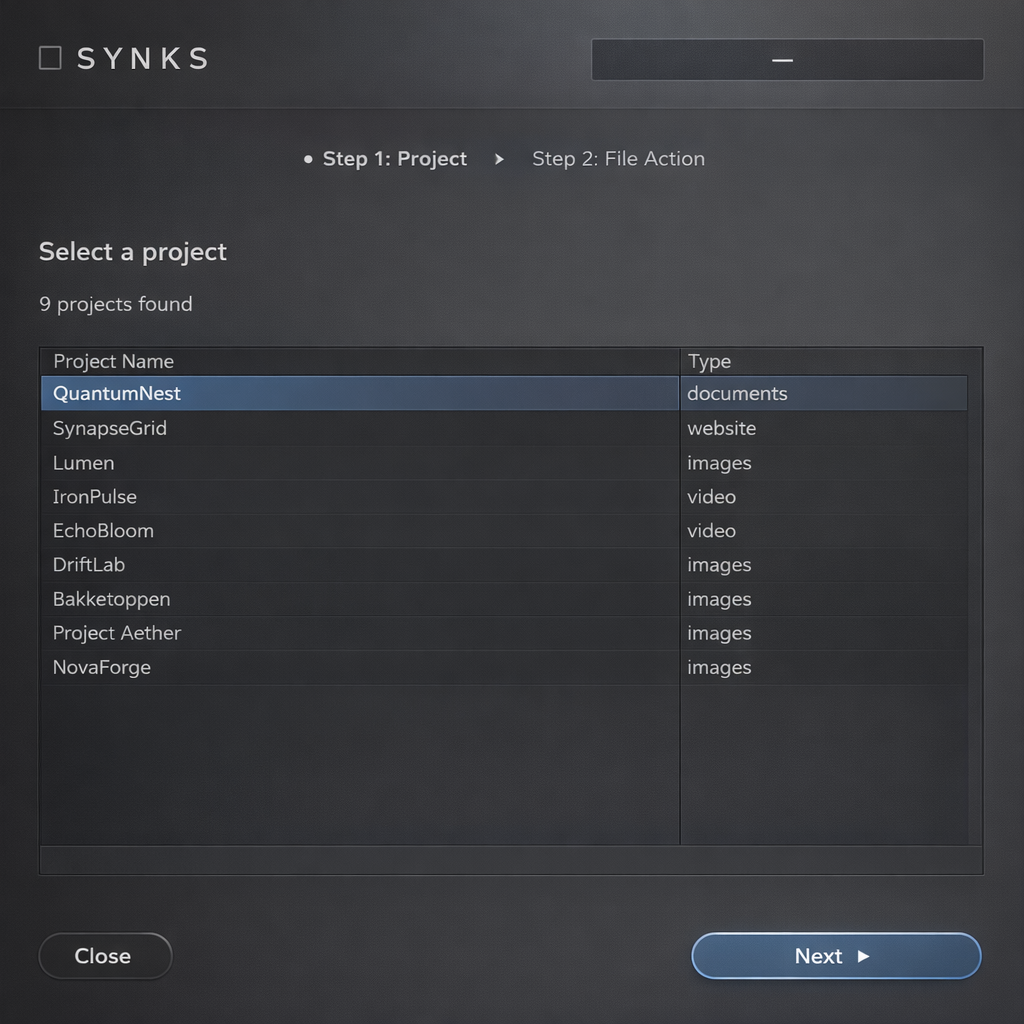
Select project
Browse your active Synks projects
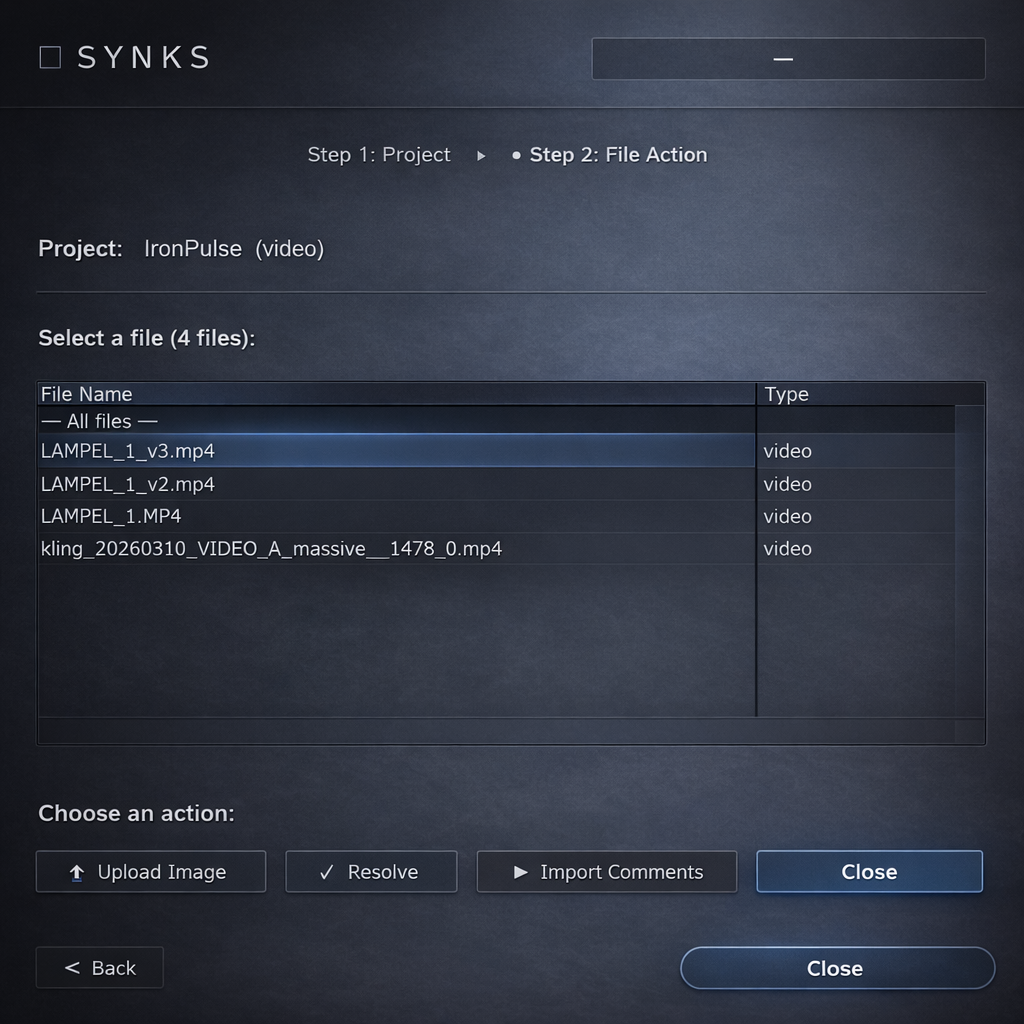
Choose files
Pick files to sync or upload new versions
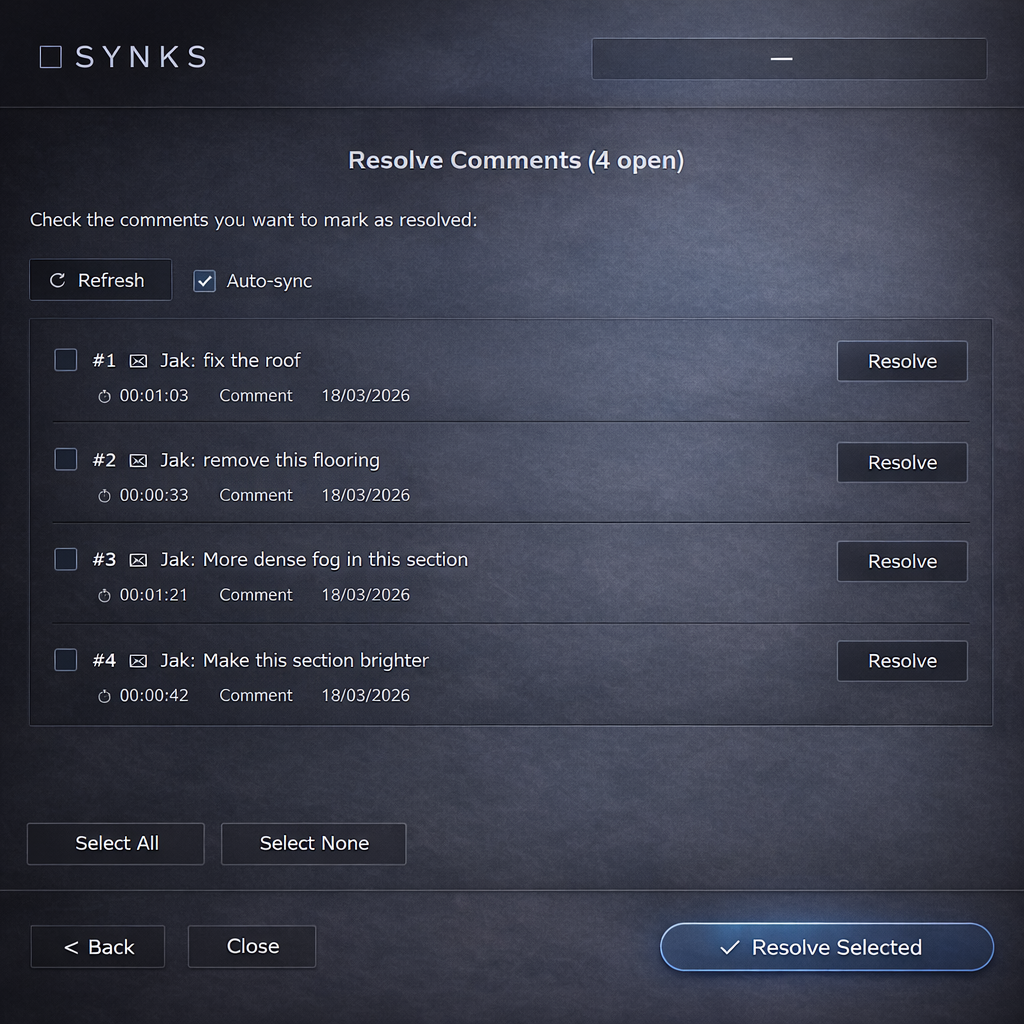
Resolve
Mark feedback as done from your editor
Up and running in 2 minutes
01
Download
Pick your editor and grab the script
02
Run script
File → Scripts → Run Script
03
Enter key
Paste your plugin key when prompted
04
Sync
Comments appear as markers
Built for creative workflows
Everything you need to close the feedback loop without leaving your editor.
One-click sync
Import review comments as timeline markers or text annotations in one click.
Frame-accurate
Every note lands exactly on the right frame, layer, or artboard — no guessing.
Resolve from your editor
Mark feedback as done without switching to the browser.
Upload new versions
Push updated comps directly from your editor back into Synks.
Live & snapshot modes
Real-time sync or a one-time snapshot — choose what fits your workflow.
Labels & threads
Color-coded markers with nested replies preserve the full conversation.